


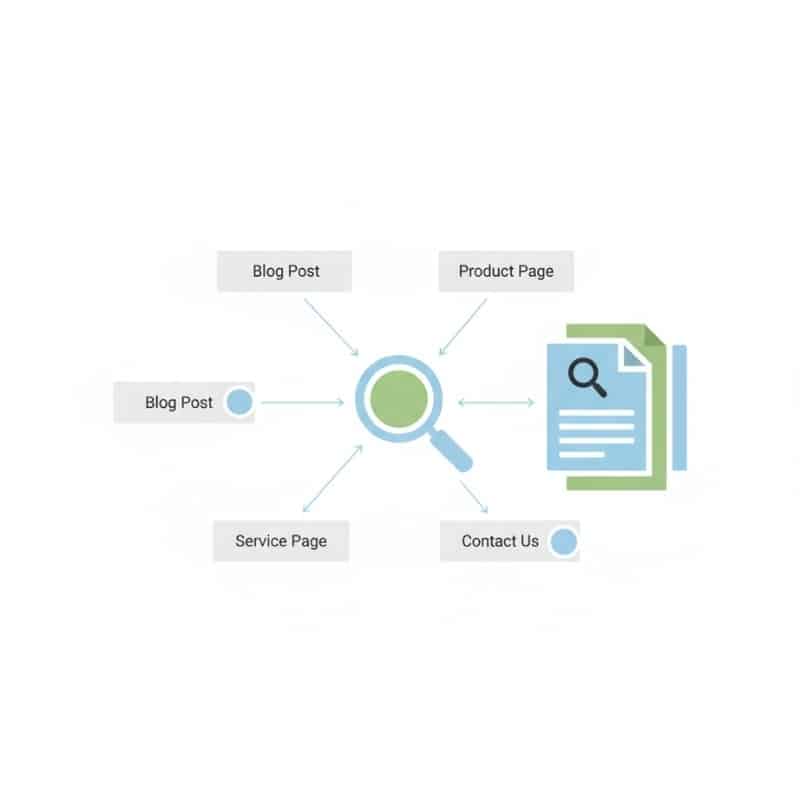
If your website (or specific pages) aren’t showing up on Google, it’s easy to assume something is “broken”. In reality, most indexing problems fall into one of three buckets:
• Discovery problem: Google can’t find the page (or can’t find it efficiently)
• Crawl/render problem: Google finds it but can’t access or understand it properly
• Quality/selection problem: Google can access it but chooses not to index it (or not yet)
The good news is that once you identify which bucket you’re in, the fix is usually clear.
This guide is written for Australian businesses (whether you’re serving clients nationally, or focusing on Sydney, Melbourne, Brisbane, Perth, Adelaide, Canberra, or regional areas). You’ll get a practical troubleshooting workflow, what common Google Search Console statuses actually mean, and how to prioritise fixes so your revenue-driving pages get indexed first.
Crawl vs Index (In Plain English)
Indexing issues make more sense once you know the difference between crawling and indexing:
• Crawling is when Google discovers a URL and visits it (like opening the door and looking inside).
• Indexing is when Google decides the page is worth storing and showing in search results (like adding it to a library catalogue).
A page can be crawled and still not indexed. This is common after:
• launching a new site
• publishing a batch of new pages
• changing URL structures
• migrating platforms (WordPress to Shopify, custom CMS changes, etc.)
• adding many similar pages (e.g., suburb/service variants)
Where to Check Indexing Issues (The Fastest Starting Point)
Before you go down rabbit holes, anchor yourself with two things:
1) A government-backed SEO overview (high-level context)
If you want an Australian Government resource that explains (at a high level) how search engines find and rank content, refer to the guide here: Australian Government guide to improving your search engine rankings.
2) Google Search Console (the practical diagnostic tool)
For indexing specifically, Google Search Console is where you’ll see:
• which URLs are indexed
• which are excluded (and why)
• whether Google is discovering pages via your sitemap and internal links
• patterns across templates (blog posts, tags, categories, product pages, service pages, location pages)
When you’re diagnosing, you’re not just asking “is it indexed?” You’re asking: what’s preventing indexing, and is that prevention intentional or accidental?
The Indexation Triage Framework (Do This in Order)
This framework prevents you wasting time fixing the wrong thing.
Step 1 — Is the page blocked from indexing? (Hard-stop checks)
If any of these are present, Google may never index the page, no matter how good the content is:
• Noindex directive (meta robots set to noindex, X-Robots-Tag headers, CMS settings)
• robots.txt blocking important sections of the site
• Login wall / gated content Google can’t access
• Incorrect canonical tags telling Google a different URL is the “real” one
• Redirect loops or long redirect chains
• Persistent errors (4xx “not found/forbidden” or 5xx server errors)
• Soft 404s where the page exists but looks like an error or empty page
If you find a hard stop, fix it first. Everything else is secondary until this is resolved.
Step 2 — Can Google discover the page easily? (Findability checks)
Discovery is about pathways. Google needs a clear route to the page.
Common discovery issues:
• the page is published but not linked anywhere (or only linked from a page Google rarely crawls)
• the page exists but is orphaned (no internal links point to it)
• the sitemap isn’t submitted, isn’t updating, or contains the wrong URL versions (http vs https, with/without trailing slashes, etc.)
• key pages are buried too deep (5+ clicks from the homepage)
• navigation relies heavily on JavaScript without crawl-friendly links
Discovery fixes tend to be simple:
• add contextual internal links from relevant pages
• add the page to logical hub pages (service hub, category hub, guides hub)
• include the correct URL in your sitemap
• ensure the page is reachable within a few clicks
Step 3 — Does Google consider the page “index-worthy”? (Selection checks)
This is where many Australian businesses get stuck, especially with statuses like:
• “Discovered – currently not indexed”
• “Crawled – currently not indexed”
These aren’t always technical errors. Often they mean Google has evaluated the page and decided it’s not the best candidate for the index right now.
This can be due to:
• duplicate or near-duplicate content
• thin content (not enough unique value)
• unclear intent (page doesn’t satisfy a clear user need)
• weak internal linking signals (Google doesn’t see it as important)
• overall site authority and trust signals
The Most Common Reasons Your Pages Aren’t Getting Indexed Properly
Let’s break down the usual culprits and what to do about each.
1) Your website is new, or your site authority is low
Brand new domains (or domains with little history/authority) may take longer to get consistent crawling and indexing—especially if you’re publishing many pages quickly.
What to do:
• strengthen internal links so Google can discover pages naturally
• publish genuinely helpful supporting content (not filler)
• make sure your sitemap is accurate and up to date
• focus on quality first, volume second
If you want an expert team to audit the technical and structural causes of indexation issues, start with professional SEO services in Australia.
2) “Noindex” is enabled accidentally (very common)
This happens a lot after:
• staging sites go live with “block indexing” settings still enabled
• WordPress “Discourage search engines” remains ticked
• SEO plugins apply noindex to entire templates (tags, categories, author pages)
• ecommerce filters and internal search pages get indexed or blocked incorrectly
What to do:
• review CMS and SEO plugin settings
• confirm the page is not outputting “noindex”
• ensure key money pages are indexable, while low-value pages can remain noindex by design
3) robots.txt is blocking important URLs or resources
Robots.txt can be useful, but it can also cause accidental damage. You might block:
• blog directories
• service page folders
• important parameter URLs
• resources needed for rendering (CSS/JS)
What to do:
• remove disallow rules that block important pages
• avoid blocking critical CSS/JS if rendering is required to display the real content
4) Canonical tags are confusing Google
Canonical tags are meant to clarify duplicates. But when canonicals are incorrect, they can effectively tell Google:
“Don’t index this URL, index that other one.”
Common triggers:
• site migrations
• inconsistent trailing slashes
• duplicate templates (suburb pages, service variants)
• ecommerce product variants and collections
What to do:
• ensure canonical points to the exact preferred URL you want indexed
• keep internal links consistent with canonical targets
• keep the sitemap aligned to canonical URLs
• avoid canonicals that point everything to the homepage unless it’s truly a duplicate scenario
5) Thin, duplicated, or “same-same” content
Google doesn’t index every page it crawls. It tries to index what’s useful, unique, and relevant.
Common examples:
• suburb pages that only swap the suburb name
• service pages repeating generic paragraphs found on many competitor sites
• blog posts that restate obvious points with no unique insights
• auto-generated pages (tags, archives) with minimal value
What to do:
• add real differentiation: examples, FAQs, checklists, unique advice, specific trade-offs
• make each page serve a clear purpose and intent
• consolidate duplicates where possible (merge pages, redirect weaker pages to stronger ones)
• improve topical depth (answer the questions your audience actually asks)
6) Weak internal linking (or too many low-value URLs)
Internal links are how Google discovers pages and assigns importance.
Warning signs:
• your most important pages are only linked from the footer
• blog posts never link to relevant services
• key pages are 4–6 clicks deep
• your site generates thousands of low-value URLs (filters, tags, parameters)
What to do:
• create hub pages that link to related subtopics
• add contextual internal links from relevant, high-traffic pages
• reduce crawl waste by noindexing low-value templates where appropriate
If you want a structured approach to internal linking and technical clean up, you can learn more about SEO services that cover indexation strategy end to end.
7) Server performance issues and unstable crawling
If your server is slow or unstable, Google may crawl less, revisit less often, or deprioritise your site.
What to check:
• server timeouts and slow response times
• frequent 5xx errors
• heavy scripts and bloated pages
• poor mobile performance
What to do:
• stabilise hosting and server response first
• optimise images and scripts
• reduce plugin bloat (common on WordPress)
• fix recurring errors before expecting consistent indexing improvements
8) You’re trying to index pages that shouldn’t be indexed
Sometimes the real issue is the opposite: Google is spending attention on pages you don’t care about.
Examples:
• internal search results pages
• tag archives and author pages with thin content
• filtered category pages generating many URL variations
• tracking parameter duplicates
• test pages and dev leftovers
What to do:
• keep the index clean and intentional
• noindex thin templates and duplicates
• ensure your sitemap includes only URLs you genuinely want indexed
• prioritise internal linking to revenue pages and your strongest supporting content
“Crawled – Currently Not Indexed” Explained (What It Usually Means)
When you see “Crawled – currently not indexed”, it often means:
• Google accessed the page successfully
• Google evaluated it
• Google decided it’s not worth indexing right now (or it found a better alternative)
This is common when:
• the page is similar to another page Google prefers
• the page doesn’t add enough unique value
• the page doesn’t match search intent strongly
• the page has weak internal link signals
• your site has low authority relative to competitors
What to do next (in priority order):
• improve uniqueness and depth (add sections competitors don’t have)
• strengthen internal linking from relevant pages
• confirm canonical correctness
• reduce duplication across templates
• avoid repeatedly “request indexing” without improving the underlying cause
A Practical Fix Checklist You Can Run Today
Use this to turn “it’s not indexed” into an action plan.
Technical blockers checklist (non-negotiables)
• confirm the page returns a 200 OK status (not a broken redirect chain)
• check for noindex directives and headers
• confirm robots.txt isn’t blocking the URL or required resources
• confirm canonical points to the correct preferred URL
• ensure the page renders meaningful content without needing user interaction
• fix soft 404 patterns (thin/empty pages that look like errors)
• resolve recurring 5xx server issues
Discovery checklist (findability)
• ensure the page is included in the correct sitemap
• link to the page from 2–3 relevant internal pages
• add the page into your site structure (hubs, navigation where appropriate)
• eliminate orphan pages
Quality and selection checklist (index-worthiness)
• expand thin pages with unique, practical content
• consolidate or rewrite near-duplicates
• match the page to a clear intent (informational vs commercial)
• add FAQs answering real customer questions in Australia
• include proof points: examples, processes, outcomes, definitions
• improve trust signals: clear author/company details, contact details, policies where relevant
If you want help diagnosing and fixing the entire indexation pipeline (not just one symptom), explore comprehensive SEO options available.
AEO-Ready Q&A (Straight Answers for AI Overviews)
Why isn’t Google indexing my website?
Usually because Google can’t discover your pages properly, can’t crawl/render them correctly, or decides your pages aren’t valuable enough to index. The key is identifying which bucket you’re in and fixing that root cause.
How long does it take Google to index a new page?
It varies. Some pages are indexed quickly, while others take days or weeks depending on site authority, internal linking, crawl efficiency, server stability, and how unique/useful the content appears.
Can I force Google to index my pages?
You can request indexing, but you can’t force it. If the underlying issue is duplication, thin content, canonicals, or low importance, a request won’t fix the reason Google is excluding the page.
What does “Discovered – currently not indexed” mean?
It often means Google knows the URL exists, but hasn’t crawled it yet (or hasn’t prioritised it). This points to discovery and priority issues like weak internal linking, too many low-value URLs, or low site authority.
What does “Crawled – currently not indexed” mean?
It usually means Google crawled the page, evaluated it, and chose not to index it (at least for now). This commonly relates to duplication, thin content, unclear intent, or weak internal importance.
Should every page on my website be indexed?
No. Most sites perform better when only high-value pages are indexed. Low-value templates and duplicates often should be excluded so Google focuses on your money pages and your best supporting content.
Australia-Wide Indexing Priorities for Service Businesses
If you’re a service business operating across Australia, here’s a simple way to prioritise what gets fixed first.
Prioritise these first (highest impact)
• core service pages (the pages that convert leads)
• location pages that are genuinely unique and useful
• your top-performing content pages that drive enquiries
• contact, quote, booking, consultation pages
Prioritise these next (supporting content)
• FAQs and how-to guides that answer common customer questions
• case studies and proof pages
• industry-specific landing pages (only if meaningfully different)
Usually keep these out of the index
• tag pages and thin archives
• internal search results pages
• filtered pages that create endless URL combinations
• test pages, parameter duplicates, staging leftovers
When to Escalate to a Technical SEO Audit
If you’ve run the checklist and you still see persistent exclusions, it’s time to escalate.
Strong “bring in an expert” signals include:
• hundreds or thousands of excluded URLs with unclear causes
• a site migration that caused a widespread drop in indexation
• canonical and duplication issues across templates
• JavaScript rendering issues where Google can’t reliably see content
• key revenue pages stuck in “crawled – currently not indexed” for weeks after improvements
At that point, a structured technical SEO audit will usually pay for itself by getting your most profitable pages discovered, indexed, and ranking sooner.
Summary (What to Do Next)
If your website isn’t getting indexed properly, don’t guess. Use this order:
• fix technical blockers (noindex, robots.txt, canonicals, errors)
• improve discovery (internal links, sitemap accuracy, clean architecture)
• improve index-worthiness (unique value, intent match, consolidate duplicates)
• monitor changes over time and keep the index clean and intentional
Internal anchors used (linked to the SEO service page):
• professional SEO services in Australia
• learn more about SEO services
• comprehensive SEO options available
External source used (government):
•Australian Government guide to improving your search engine rankings





