


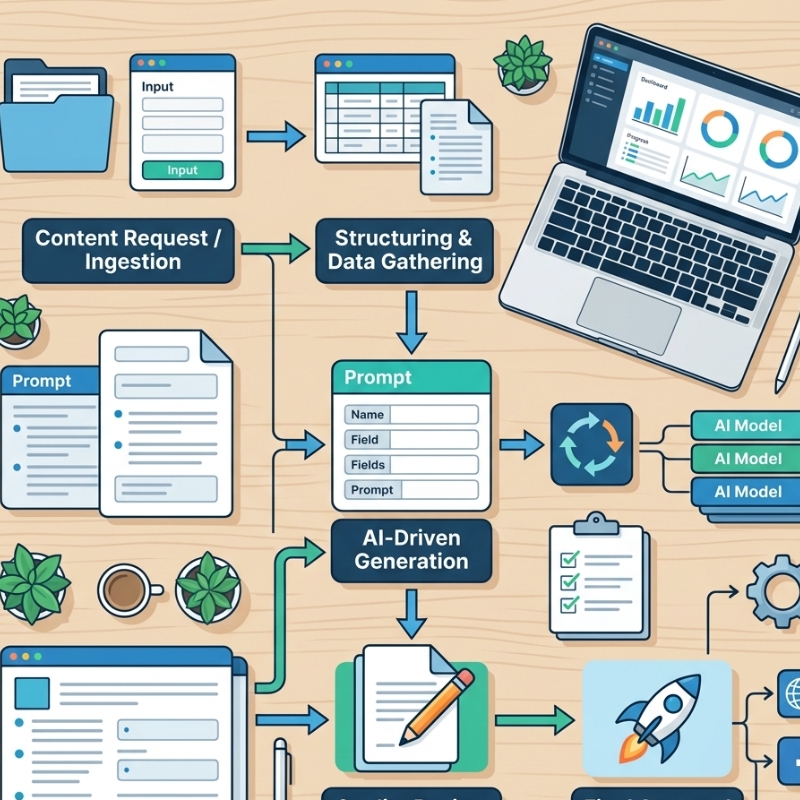
ChatGPT can feel like magic—until you try to scale it. One minute, a prompt spits out gold, the next it gives you five paragraphs of waffle or forgets your brand voice entirely. When that unpredictability creeps into customer-facing tasks, mistakes follow, and trust erodes fast. The fix isn’t “better prompting” in isolation; it’s a workflow that treats ChatGPT like any other systemised process: clear standards, known inputs and unambiguous handoffs. In this guide, we’ll unpack how Australian SMEs can build that backbone, from drafting reusable prompt frameworks to documenting data inputs and ensuring every output hits the right next step in your tech stack. If you reach a point where wrangling multiple models, channels and data security questions goes beyond DIY, a specialised AI automation agency can extend the same principles at enterprise scale—minus the headache.
Why Workflows Beat One-Off “Prompt Hacking”
A single winning prompt feels good, but it rarely survives contact with:
- Different team members use their own writing quirks
- New data sources or formats (CSV today, JSON tomorrow)
- Model updates (GPT-4o vs GPT-4 Turbo)
- Handoffs to other tools like CRMs, docs or dashboards
Without documented workflows, you burn hours debugging outputs that should have been bulletproof. Standardisation brings:
- Repeatability – Any trained staff member can run the process.
- Auditability – You can trace errors to a step, not guesswork.
- Scalability – Easier to delegate or automate further with APIs.
- Compliance – Clear records for privacy, copyright or industry regulation.
The Three Pillars of a Reliable ChatGPT Workflow
1. Prompt Frameworks (Not Just Prompts)
A prompt framework is a reusable structure that spells out:
- Role & context (“You are an Australian mortgage broker with 20+ years’ experience…”)
- Tone & voice guidelines (e.g., friendly but authoritative, use AU spelling)
- Input placeholders ({{customer_name}}, {{loan_amount}})
- Output formatting (Markdown table, bullet list, JSON schema)
- Quality checks (“Ensure response stays under 200 words and references APRA guidelines where relevant.”)
Store frameworks in a shared knowledge base or within your automation platform (e.g., HubSpot workflows, Make, Zapier, n8n). Version-control them like code, so changes are tracked and rollback is painless.
2. Structured Inputs
Garbage in, garbage out. Standardising inputs means:
- Typed fields over free text – Use dropdowns, dates and numeric fields in forms.
- Data validation – Regex, pick lists or automated lookups reduce typos.
- Pre-processing scripts – Convert messy Google Sheet columns into clean JSON for the API.
- Context limits – Decide which data truly matters; stuffing the context window raises costs and risk.
3. Clear Handoffs
Outputs are only valuable if they land where action happens. Map:
- Destination (Slack channel, Google Doc, Airtable, CMS draft, CRM note)
- Format compatibility (Markdown may break if your CRM only accepts plain text)
- Ownership (Who reviews or approves before publishing/sending?)
- Error handling (What if the API call fails? What if the content doesn’t meet a guardrail?)
An automation should end in a “done” state, not in someone’s inbox limbo.
Comparison Table: DIY Prompting vs Standardised Workflow
Below is a quick side-by-side view of the typical experience:
| Workflow Zone | Recommended LLM | Strength to Leverage | Potential Watch-Out |
| Marketing content ideation | ChatGPT | Creative tone, big plugin ecosystem | May hallucinate data; fact-check stats |
| Marketing within Google apps | Gemini | Direct access to Drive files & Gmail | Features still rolling out; paywall tiers |
| Long policy or tender docs | Claude | Large 150K-token context window | Currently US-centric references—localise copy |
| Sales emails & summaries | Copilot | Deep Outlook & Teams integration | Requires Microsoft 365 Business licences |
| Quick research answers | Perplexity AI | Citation-rich, source-linked responses | Not a replacement for formal fact-checking |
With a framework in place, your time shifts from firefighting to fine-tuning.
Building Your First End-to-End Workflow
Step 1: Document the Desired Outcome
Start with the last mile: what exactly must be delivered and where? A published blog draft in WordPress? A templated email in ActiveCampaign? Knowing the end shape dictates earlier choices.
Step 2: List Required Inputs
Map every datapoint needed to generate that output. Example for a product description generator:
- Product name
- Key features (bullet list)
- Target persona
- Brand tone toggle (casual/professional)
Step 3: Draft the Prompt Framework
Plug placeholders into a clear structure. Example snippet:
You are an e-commerce copywriter.
Write a product description between 120-150 words for {{product_name}}.
Speak to {{target_persona}} in a {{brand_tone}} tone.
Highlight these features: {{key_features}}.
Return Markdown with H2 “Overview” and bullet list “Top Features”.
Step 4: Choose Your Automation Tool
Low-code options many Aussie SMEs start with:
- Zapier – quick integrations, but watch task limits.
- Make.com – a visual builder with routers for complex branching.
- n8n – open source, self-hosted, more control over data location (helpful for privacy).
Step 5: Map the Flow
- Trigger (new row in Google Sheet or form submission)
- Transform (clean/validate data)
- Generate (API call to OpenAI with your framework)
- Post-process (check length, flag banned words)
- Deliver (push to CMS draft, send for approval, or publish directly)
Step 6: Add Guardrails
- Token limit – Prevent runaway costs.
- Privacy filter – Strip personal identifiers not needed in the prompt.
- Quality checks – Regex for swear words, hallucination detection heuristics.
- Fallback – If output fails checks, reroute for human review.
Step 7: Test, Log and Iterate
Run edge cases: long inputs, missing optional fields, special characters. Store logs (timestamp, input hash, output hash, user) to satisfy the OAIC guidance on AI and privacy and internal compliance.
Local Considerations for Australian Businesses
- Data Residency – If you’re in finance or health, ensure the tool you choose allows Australian data-centre options or encryption at rest.
- Australian English Defaults – Set spelling, units (metres not meters, GST inclusive vs exclusive) within your prompt framework, so you’re not editing each output post-generation.
- Privacy Act Reforms – Proposed changes tighten obligations around automated decision-making. Logged workflows and human-in-the-loop checkpoints reduce future headaches.
Common Mistakes to Avoid
| Mistake | Why It Hurts | Safer Alternative |
| Treating each prompt as a one-off | Inconsistent outputs, tribal knowledge | Centralise prompt frameworks |
| Overloading the context window | Higher costs, slower responses | Pass only essential fields |
| Skipping human review on first rollout | Brand voice or legal missteps | Start with review stage gate |
| Forgetting version control | Hard to debug after changes | Track prompts in Git or an SOP tool |
| Ignoring role permissions | Anyone can trigger sensitive outputs | Restrict triggers to approved roles |
Decision-Making Framework: Manual, Semi-Automated or Fully Automated?
| Question | Manual | Semi-Automated | Fully Automated |
| Volume of tasks per week | <10 | 10-100 | 100+ |
| Required turnaround | 24-48 hrs | Hours | Seconds |
| Compliance sensitivity | High | Medium | Low-Medium |
| In-house technical skill | Low | Medium | High |
| Budget for tooling | Minimal | Moderate | Higher but ROI peaks |
Start manual to prove value, move to semi-automated (prompt framework + button click), then graduate to full API orchestration once workflow issues are ironed out.
Connecting the Dots: Where ChatGPT Fits in Broader Automation
Many businesses run ChatGPT as a standalone “content magic” tool. The gains multiply when you link it to:
- CRM triggers (new lead → personalised intro email)
- Ticketing systems (support ticket → draft response)
- Analytics (chat output stored with UTM tags for conversion tracking)
- Voice-of-customer loops (auto-summaries of survey feedback)
For a readiness assessment across all these touchpoints, check out the ChatGPT workflow readiness checklist to spot gaps before scaling.
FAQs
1. Does ChatGPT store my business data?
OpenAI retains data for up to 30 days for abuse monitoring unless you’re on an Enterprise agreement. Always review the latest policy and decide if anonymisation or self-hosting is required.
2. How do I enforce brand voice automatically?
Include explicit tone guidelines in your prompt framework and run a post-generation check (e.g., compare against style lexicon or use a second model to critique the first draft).
3. What happens when OpenAI releases a new model?
Version-control your frameworks and run A/B tests—route 10% of traffic to the new model, compare cost and quality before full migration.
4. Can I integrate multiple models in one workflow?
Yes. Use routers in Make/n8n to send data to the model best suited for the task (e.g., GPT-4o for creative copy, Claude for summarisation, Perplexity for quick answer lookups).
5. How do I measure ROI on automated content?
Track time saved, error reduction and revenue impact (e.g., faster proposal turnaround). Combine these with cost per 1K tokens to see net gain.
Wrapping Up
Standardising prompts, inputs and handoffs turns ChatGPT from a novelty into a dependable teammate that scales with your business. Start small, document relentlessly and automate progressively. If you find yourself juggling multiple models, compliance audits and complex integrations, that’s usually the signal to bring in specialised help—so you stay focused on growth, not glue-code.





